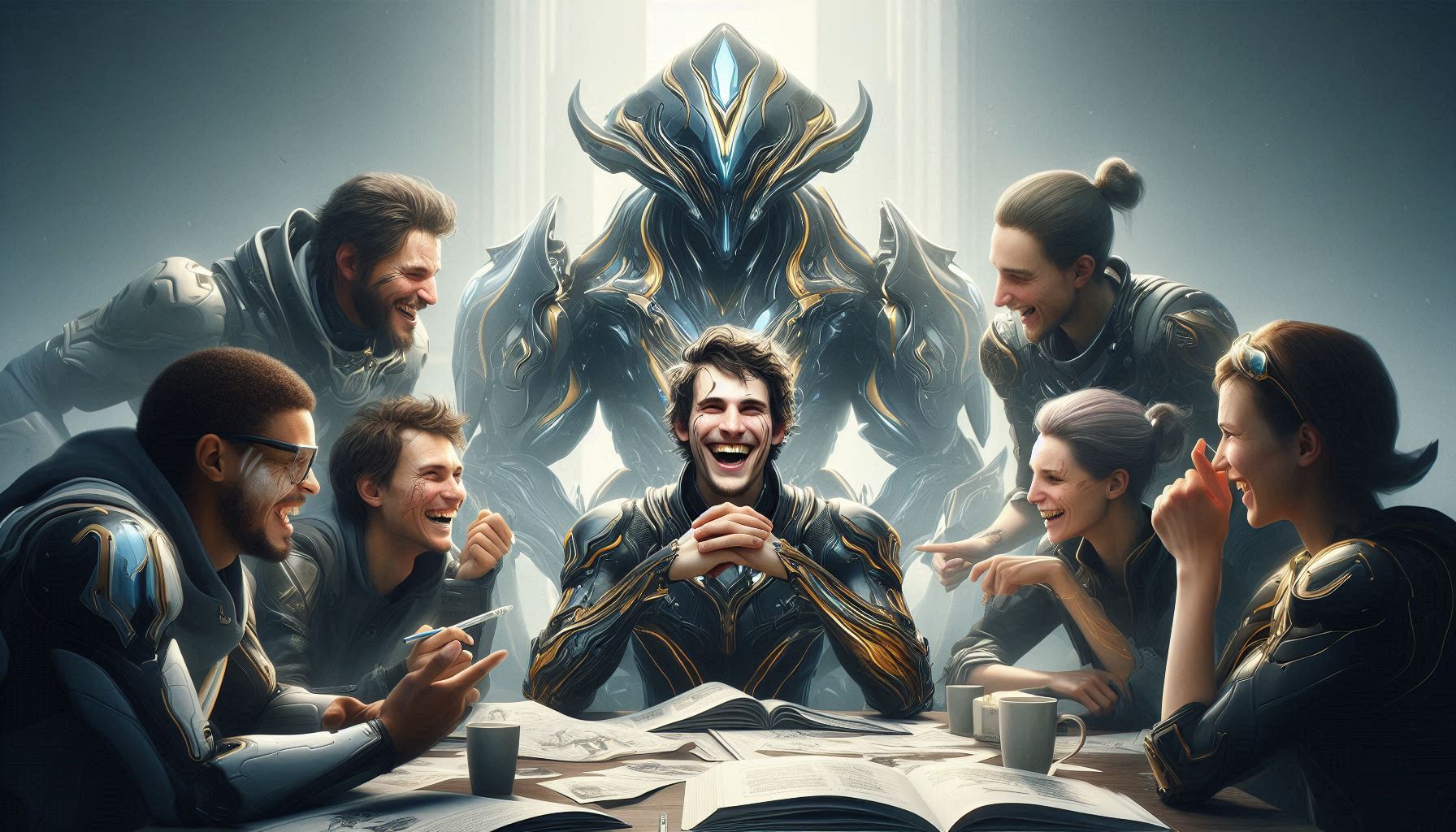
Sven Co-op is a free cooperative game based on Valve’s 1998 first-person shooter Half-Life, in which players work together against computer-controlled enemies and solve puzzles as a team. First released as a mod on 19 January 1999 by Daniel “Sven Viking” Fearon, it became a standalone game on Steam on 22 January 2016, and it is still played and updated today — more than 25 years after its debut. Its game icons and banners are a central part of that story: they are the visual identity that players recognise instantly, from the desktop launcher to the Steam store page, the official website and community forums. This article explores the design, evolution, significance and impact of Sven Co-op’s icons and banners, and what they reveal about one of gaming’s longest-lived community projects.
The Origins of Sven Co-op
Before diving into the specifics of game icons and banners, it is essential to understand the origins and core concepts of Sven Co-op. Sven Co-op was created by Daniel “Sven Viking” Fearon and his team. It allows players to cooperate in various missions and scenarios, emphasising teamwork and strategy. Over the years, Sven Co-op has grown from a small mod to a fully-fledged game, maintaining its relevance in the gaming community through continuous updates and community engagement.
The idea was simple and, in 1999, genuinely new. Half-Life was a single-player game, and multiplayer shooters of the era were almost entirely about fighting each other. Sven Co-op turned that on its head: players would fight together, as a team, against monsters, soldiers and puzzles designed for groups. The first public version, released on 19 January 1999 — only about three months after Half-Life itself — contained a single map. A two-map version followed quickly, and the mod grew from there.
The project’s long road to Steam is part of its legend. Fearon had hoped for a Steam release as early as 2004, but confusion between the Sven Co-op team and Valve delayed it, and Fearon eventually stepped away as project leader. Josh Polito, who had been involved since 2002, took over as project manager, and in 2012 the team received Valve’s official approval to release Sven Co-op as a standalone title, announcing it in July 2013. The standalone release — version 5.0 of the mod — arrived on 22 January 2016, free on Steam, including the Half-Life campaign maps reworked for cooperative play. Players did not need to own Half-Life to play it, although the Opposing Force and Blue Shift campaigns required those games. That moment turned a mod into a permanent, free game with automatic updates through Steam.
How Sven Co-op Plays
Understanding the gameplay helps explain the visual identity. Sven Co-op is a first-person shooter built on Half-Life’s GoldSrc engine. A server hosts a mission — a map or a series of maps — and up to 32 players can join, fighting alongside allied non-player characters against computer-controlled enemies. Levels are set as separate missions, each with its own objectives, and the difficulty is increased to suit team play: more enemies, tougher encounters and puzzles that need more than one player to solve.
The game includes a reworked version of the original Half-Life campaign adapted for co-op, plus a large library of community-made missions, custom player models and weapons. It also includes scripting tools that let level designers customise maps far beyond the default engine, and a map-hosting hub where the community shares new creations. That community content is why the game has lasted: there is always another mission to try. If you enjoy classic shooters and their visual history, you may also like our look at Halo 2003 game icons and banners, which explores how another iconic shooter built its identity.
The Importance of Visual Identity in Gaming
In the gaming industry, visual identity plays a crucial role in a game’s success. Icons and banners are not just decorative elements; they are integral to a game’s branding and marketing strategy. They serve as the first point of contact for potential players, conveying the game’s essence and attracting interest. For Sven Co-op, these visual elements have been pivotal in establishing its identity and ensuring its longevity.
That matters more for Sven Co-op than for most games. It has never had a big marketing budget. Its icon on the Steam store, its banner on the official website, and the images shared by players on forums and social media are effectively its advertising. A clear, recognisable icon tells a browsing player in a second that this is a cooperative Half-Life experience; a good banner for a new update tells existing players that something worth returning for has arrived.
Game Icons in Sven Co-op
The Evolution of Sven Co-op Icons
Early Designs
The early icons of Sven Co-op were relatively simple, reflecting the technical limitations and design trends of the late 1990s. These icons often featured the Half-Life logo with slight modifications to indicate the cooperative nature of the game. The emphasis was on clarity and recognisability, ensuring that players could easily identify the mod.
In those early years the icon had a practical job to do. Players installed the mod by hand, launched it from a desktop shortcut or a Half-Life menu, and needed to tell it apart from Half-Life itself and from other mods at a glance. A modified Half-Life logo did that job well: familiar enough to signal the game it was based on, different enough to signal that this was something new.
Modern Iterations
As the game evolved, so did its icons. Modern Sven Co-op icons incorporate more sophisticated designs, utilising advanced graphic design tools and techniques. The current icons often feature elements that highlight the cooperative aspect, such as multiple characters or symbolic representations of teamwork. The colour schemes have also been refined, with a consistent palette that reinforces the game’s branding.
The Steam release in 2016 was the biggest turning point. Suddenly the icon had to work in the Steam library, in the Steam store, on the desktop and in the taskbar, at sizes from a tiny 16-pixel favicon to a large store capsule image. The design was refined for that world: cleaner shapes, stronger contrast, and a consistent visual language across every size and surface.
Design Principles
The design of Sven Co-op’s icons follows several key principles:
- Clarity. Icons must be easily recognisable, even at small sizes. This means using distinct shapes and avoiding clutter.
- Consistency. The icons adhere to a consistent colour scheme and style, reinforcing the game’s brand identity.
- Relevance. The icons reflect the game’s cooperative nature and its connection to the Half-Life universe.
- Scalability. Icons are designed to be scalable, ensuring they look good on various devices and screen sizes.
These principles are not abstract. Clarity matters because an icon is often seen at 32 pixels or smaller, where fine detail turns to noise. Consistency matters because Sven Co-op’s players encounter the game in many places — Steam, the official site, Discord, forums — and a single visual language ties those places together. Relevance matters because the icon must say “teamwork” as well as “Half-Life”. And scalability matters because the same artwork may appear as a desktop shortcut, a Steam library tile and a website header.
Icon Variations
Sven Co-op features several types of icons, each serving a different purpose:
- Launcher icons. These icons appear on the desktop or in game libraries, representing the game to players before they launch it.
- In-game icons. Used within the game interface, these icons help players navigate menus, select options, and understand gameplay mechanics.
- Community icons. Icons used on forums, social media, and other community platforms to represent the game and its players.
In-game icons deserve special attention, because Sven Co-op’s interface is busier than Half-Life’s. With up to 32 players, shared objectives, voting systems and custom maps, the HUD and menus need icons that communicate quickly: weapon slots, health and armour, objectives, and the status of teammates. Good in-game iconography reduces confusion in the middle of a firefight, which is exactly when clarity matters most.
Banners in Sven Co-op
The Role of Banners
Banners are larger visual elements used in various contexts, such as website headers, promotional materials, and in-game events. For Sven Co-op, banners have been instrumental in promoting updates, events, and community activities.
Where an icon identifies the game, a banner tells a story about it right now. A banner can announce a major update, celebrate an anniversary, advertise a community event, or set the mood for a seasonal map. Because Sven Co-op’s development is driven by a small team working in their free time, banners are also a way of signalling that the project is alive and moving — a visible sign of activity that keeps the community engaged between releases.
Historical Overview
Early Banners
Similar to icons, early Sven Co-op banners were relatively simple, often featuring the game’s logo and basic graphics. These banners focused on conveying essential information, such as new updates or community events.
Modern Banners
Modern banners are more elaborate, featuring high-quality artwork, dynamic compositions, and thematic elements that align with the game’s current state. These banners are designed to captivate the audience and generate excitement about upcoming events or updates. The Steam store page, for example, uses large capsule artwork that has to compete for attention alongside thousands of other games, so the imagery needs to be striking at a glance.
Design Elements
The design of Sven Co-op banners involves several critical elements:
- Imagery. High-quality images or illustrations that capture the game’s essence.
- Typography. The use of fonts and text styles that are consistent with the game’s branding.
- Composition. Arranging elements in a way that draws the viewer’s attention to key information.
- Colour scheme. Using a palette that is consistent with the game’s visual identity.
Composition is particularly important for banners, because they are often read in a second or two. The eye needs to land on the key message — a version number, an event name, a date — without hunting for it. That is why update banners typically pair a strong piece of artwork with a short, bold headline, rather than crowding the space with detail.
Types of Banners
Sven Co-op utilises various types of banners, each with a specific purpose:
- Promotional banners. Used for marketing the game, highlighting new updates, or special events.
- Event banners. Designed for in-game events or community activities, encouraging player participation.
- Website banners. Featured on the official website or community forums, providing information and enhancing the site’s visual appeal.
The Impact of Icons and Banners on the Sven Co-op Community
Building a Cohesive Identity
The consistent use of icons and banners has helped Sven Co-op build a cohesive identity. Players can instantly recognise the game through its visual elements, fostering a sense of familiarity and loyalty. For a game that has existed for over 25 years, that familiarity is an asset: a player who last played in 2005 can return in 2025 and recognise the game immediately.
Engaging the Community
Icons and banners are not just static elements; they play an active role in engaging the community. For instance, event banners encourage participation in community events, while update banners keep players informed about new content. Seasonal banners for Halloween or anniversary events are widely shared, and that sharing itself becomes a form of promotion: every repost puts the game in front of someone who may not have played it for years.
Enhancing User Experience
Well-designed icons and banners enhance the overall user experience. Clear and attractive icons make navigation easier, while engaging banners add to the visual appeal and excitement surrounding the game. In a game with as much community-made content as Sven Co-op, good visual design also helps players judge at a glance whether a map or event is polished and worth their time.
Case Studies
Icon redesign for major updates. With each major update, Sven Co-op has often introduced redesigned icons to reflect the new content. For example, the icon redesign for the 5.0 update incorporated elements that highlighted the new features and improvements, creating a sense of anticipation and excitement among players. The 5.0 release was the Steam standalone launch, so the redesign was not cosmetic: it marked the game’s transition from mod to standalone title, and the new icon had to work in Steam’s library and store, where the old mod icon never had to appear.
Event banners. Event banners for special occasions, such as the game’s anniversary or Halloween events, are designed with thematic elements that enhance the festive atmosphere. These banners are widely shared within the community, boosting participation and engagement. Anniversary banners are especially important for Sven Co-op, because each one is a reminder of how long the project has survived — and survival, for a community mod, is itself an achievement worth celebrating.
The Technical Aspects of Icon and Banner Creation
Tools and Software
Creating icons and banners involves various graphic design tools and software. Popular tools include Adobe Photoshop, Illustrator, and other graphic design software that offer advanced features for creating high-quality visuals. Community contributors also use free tools such as GIMP and Inkscape, which matters for a project whose artwork often comes from volunteers rather than a professional art team.
Design Process
- Conceptualisation. The first step involves brainstorming ideas and creating rough sketches.
- Design. Using graphic design software to create detailed designs based on the initial concepts.
- Feedback and revisions. Gathering feedback from the team and community, and making necessary revisions.
- Finalisation. Finalising the design and preparing it for various formats and uses.
The feedback stage is unusually public for Sven Co-op. Because the community is the game’s audience and its workforce, designs are often shared on the forums or Discord before they are finalised, and player reactions can shape the result. That is a strength and a risk: it keeps the visuals close to what players actually want, but it can also slow decisions down.
Technical Specifications
Icons and banners need to meet specific technical specifications to ensure they are compatible with different platforms and devices. This includes considerations such as resolution, file format, and scalability. Steam, for example, requires artwork in specific sizes and formats for store capsules, library tiles and header images, and an icon that looks sharp on a 4K monitor must also be legible at 16 pixels in a taskbar. Vector artwork, where the design is stored as shapes rather than pixels, is often used for icons so they can be scaled cleanly, while banners are usually produced as high-resolution raster images in formats such as PNG or JPEG.
Where to Find Sven Co-op’s Official Artwork
Players looking for Sven Co-op’s icons, banners and wallpapers should start with the official sources: the Sven Co-op Steam page, which carries the current store artwork, and the game’s official website and forums, where update banners and event artwork are posted. Using official artwork matters if you run a server or a community page, because it keeps your branding consistent with the game’s own identity — and because fan-made images found through a search may be outdated or belong to someone else. The game is free on Steam, so anyone can download it and see the current icons and banners in place. For more on how classic games present themselves visually, see our guides to ARK: Survival Evolved 2017 game icons and banners and Minecraft 2009 game icons and banners.
Future Trends in Game Icons and Banners
Dynamic and Interactive Elements
Future trends may include more dynamic and interactive elements in icons and banners. For instance, animated icons or banners that respond to user interactions could become more prevalent. Steam already supports animated elements in some parts of its interface, and community sites increasingly use short looping animations to catch the eye.
Integration with New Technologies
With advancements in technology, we might see icons and banners integrating with new platforms such as virtual reality (VR) and augmented reality (AR), providing more immersive experiences. For a GoldSrc-era game like Sven Co-op, that is a distant prospect rather than an imminent one, but the community’s history of adapting old technology to new platforms suggests it should not be ruled out.
Personalisation
Personalised icons and banners that adapt to individual player preferences and behaviours could enhance user engagement and satisfaction. In Sven Co-op’s case, that might mean server owners customising their banners for their own communities, or players choosing icon themes that match their favourite maps. The game’s modding culture already points in that direction: customisation by the community, for the community.
Frequently Asked Questions
What are Sven Co-op game icons and banners used for?
Sven Co-op game icons and banners are used to represent the game on various platforms such as desktop shortcuts, game launchers, and in-game menus. These icons help players easily identify the game and navigate its interface, while banners promote updates, events and community activities on the website, the Steam store and social media.
How have Sven Co-op icons evolved over time?
Sven Co-op icons have evolved from simple designs in the late 1990s to more sophisticated and visually appealing graphics. Early icons were basic modifications of the Half-Life logo, while modern icons feature detailed illustrations and symbolic representations of teamwork and cooperation. The biggest change came with the standalone Steam release in January 2016, when the icon had to work across Steam’s store, library and desktop at many different sizes.
What role do banners play in Sven Co-op?
Banners in Sven Co-op are used for promotional purposes, event announcements, and enhancing the visual appeal of the game’s website and community platforms. They help to inform and engage players, promoting updates, events, and community activities.
What design principles are followed in creating Sven Co-op icons and banners?
The design principles for Sven Co-op icons and banners include clarity, consistency, relevance, and scalability. These principles ensure that the visuals are easily recognisable, cohesive with the game’s branding, relevant to the cooperative gameplay, and look good across various devices and screen sizes.
What tools are commonly used to create Sven Co-op icons and banners?
Common tools used to create Sven Co-op icons and banners include graphic design software like Adobe Photoshop and Illustrator. These tools provide advanced features that enable designers to create high-quality and visually engaging graphics. Community contributors also use free alternatives such as GIMP and Inkscape.
Is Sven Co-op free to play?
Yes. Sven Co-op is completely free on Steam, and you do not need to own Half-Life to play the standalone version. It supports up to 32 players in cooperative missions, and it includes the Half-Life campaign reworked for co-op alongside community-made maps. Note that playing the Opposing Force and Blue Shift campaigns in Sven Co-op still requires those games.
Conclusion
Icons and banners are more than just decorative elements in Sven Co-op; they are vital components of the game’s visual identity and marketing strategy. From the early days of simple designs to the sophisticated and engaging visuals of today, these elements have played a crucial role in building a cohesive and recognisable brand. They engage the community, enhance user experience, and contribute to the game’s enduring success. A mod released in January 1999, made free and standalone on Steam in January 2016, and still updated more than 25 years later is a rare thing in gaming — and its icons and banners are one of the reasons players keep finding their way back. As technology evolves, the future of game icons and banners promises even more exciting possibilities, continuing to captivate and engage players around the world.
Sign up for our Daily newsletter
We'll be in your inbox every morning Monday-Saturday with all the day’s top business news, inspiring stories, best advice and reporting from Entrepreneur,